1. Rent transfer date will be the 25th
1. Rent transfer date will be the 25th
Transfer date
25th of every month
Please inform the management company or landlord that you will make the transfer on the 25th of each month.

今すぐダウンロード ▶


QRコードをスキャンして、
アプリストアからアプリをダウンロードしてください。

QRコードをスキャンして、
アプリストアからアプリをダウンロードしてください。


RentEase setup is quick and easy!
A new way to pay rent, even if you’re not the leaseholder!
With RentEase, you can pay rent even if you are not a leaseholder. If you are registered with the app, you can easily pay rent for your family room or company office.



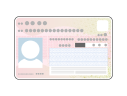
My Number Card
(with photo)
*Please note that the ‘notification card’ cannot be used.
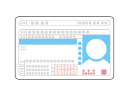
Drivers license
*Please ensure that the ID is valid.

Passport
*Please ensure that the ID is valid..
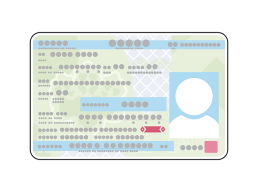
Residence card
*Please ensure that the ID is valid..

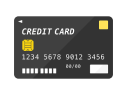
Credit card in the same name as the app user
*Payment can be made with a credit card or corporate card in the same name as the person registering the app, even if they are not the same person who signed the lease.
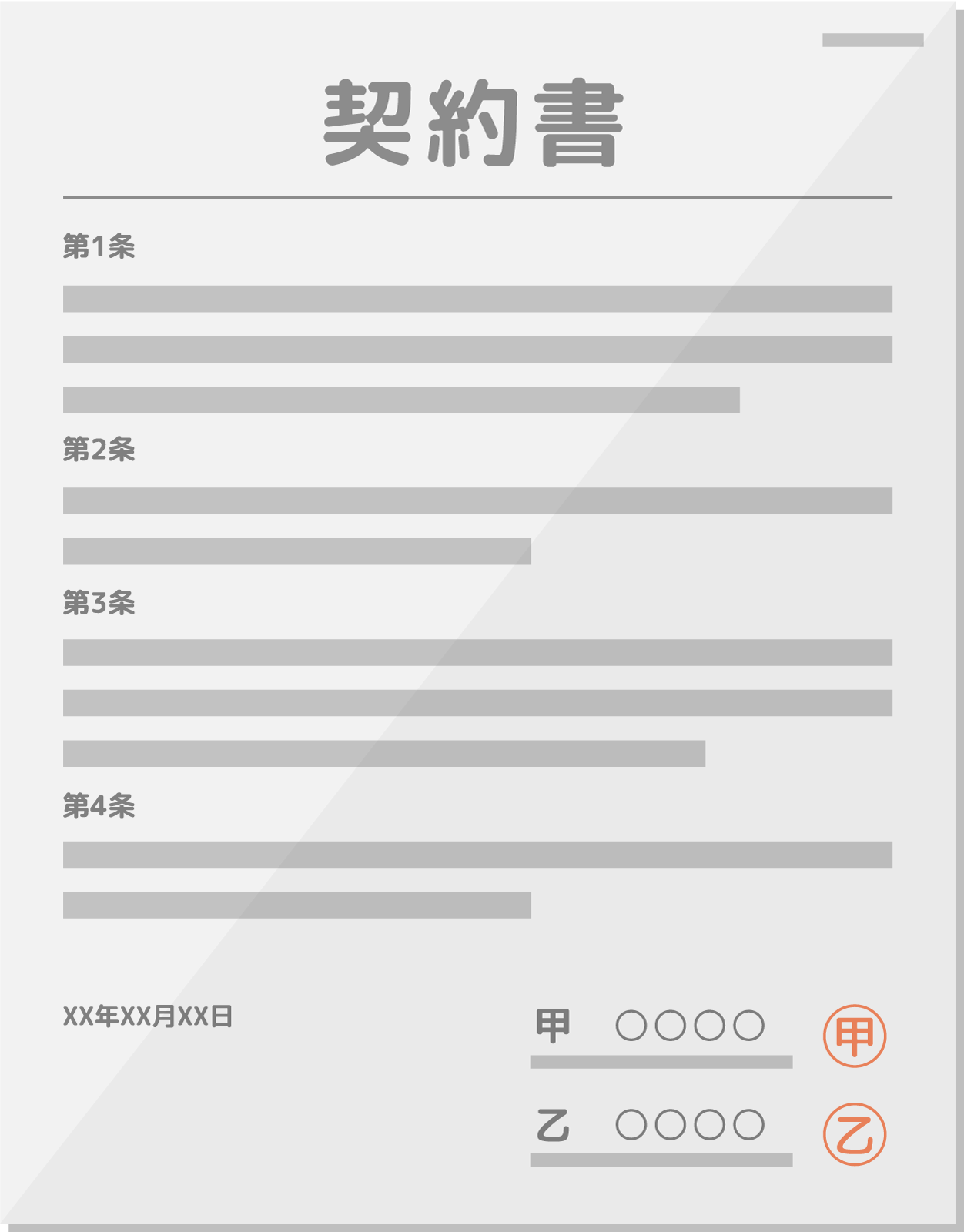
Rental agreement for the property you wish to pay by credit card
Please have the contract issued by the real estate company ready when you sign the lease agreement, as it will be required when entering property information (address, property name, monthly rent, landlord/tenant information) in the app and when uploading the lease agreement.
Before using RentEase, you will need to contact your current management company or landlord and inform them of the change in payment method. The procedure varies depending on your current payment method, so please follow the steps below.
【Renteaseご利用前の事前連絡】

Please inform the management company or landlord of the following:

Direct debit


Bank transfer
If you currently pay rent by direct debit, please contact your management company or landlord and request a change of payment method.
At the same time, please also confirm your bank transfer details. You will need these when registering.
Transfer date
25th of every month
Next, please inform the management company or landlord that you will make the transfer on the 25th of each month.
Please inform the management company or landlord of the following
1. Rent transfer date will be the 25th
1. Rent transfer date will be the 25th
Transfer date
25th of every month
Please inform the management company or landlord that you will make the transfer on the 25th of each month.
*1 If the 25th falls on a weekend or holiday, the payment will be processed on the next business day.
*2 Payments may be delayed more than usual due to inter-bank settlements, system maintenance, or other factors.
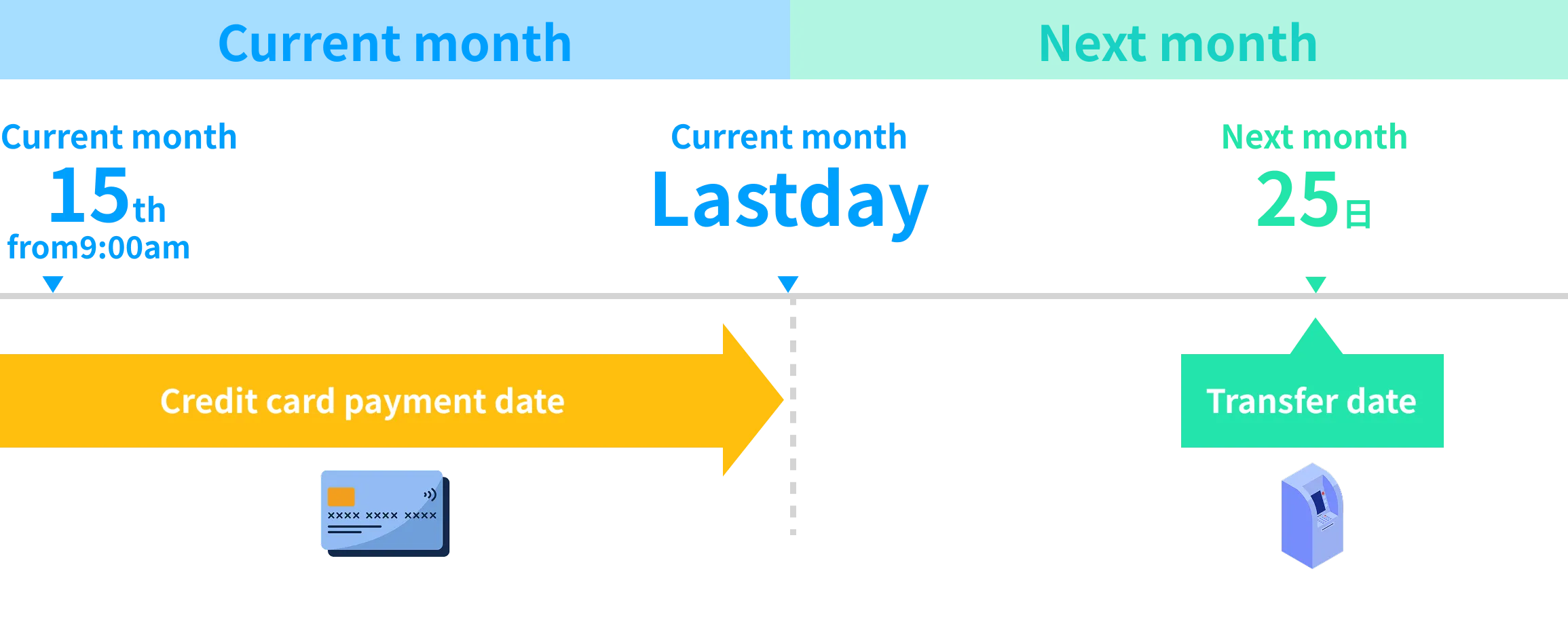
The start date of automatic payment after the first payment (subscription registration) and the date of transfer to the management company or landlord are as follows:
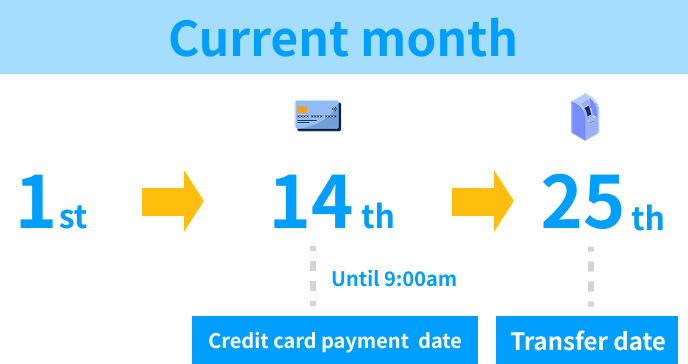
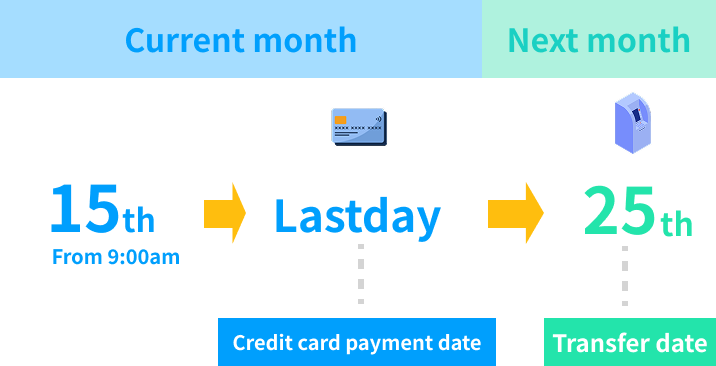
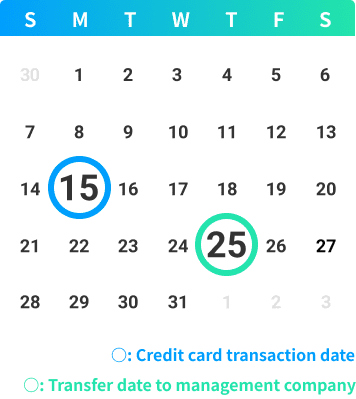
At RentEase, for initial or one-off payments only, the transfer date to the management company or landlord will change depending on the user's payment date. We will explain in detail the following two cases.
First Payment Date
This is the settlement date that will appear on your credit card statement. The withdrawal date varies depending on the credit card company, so please check with your credit card company.
25th of the current month
RentEase will transfer the rent to the management company or landlord on the 25th of the month. If the 25th falls on a weekend or public holiday, the transfer will be made on the next business day after the weekend or public holiday.
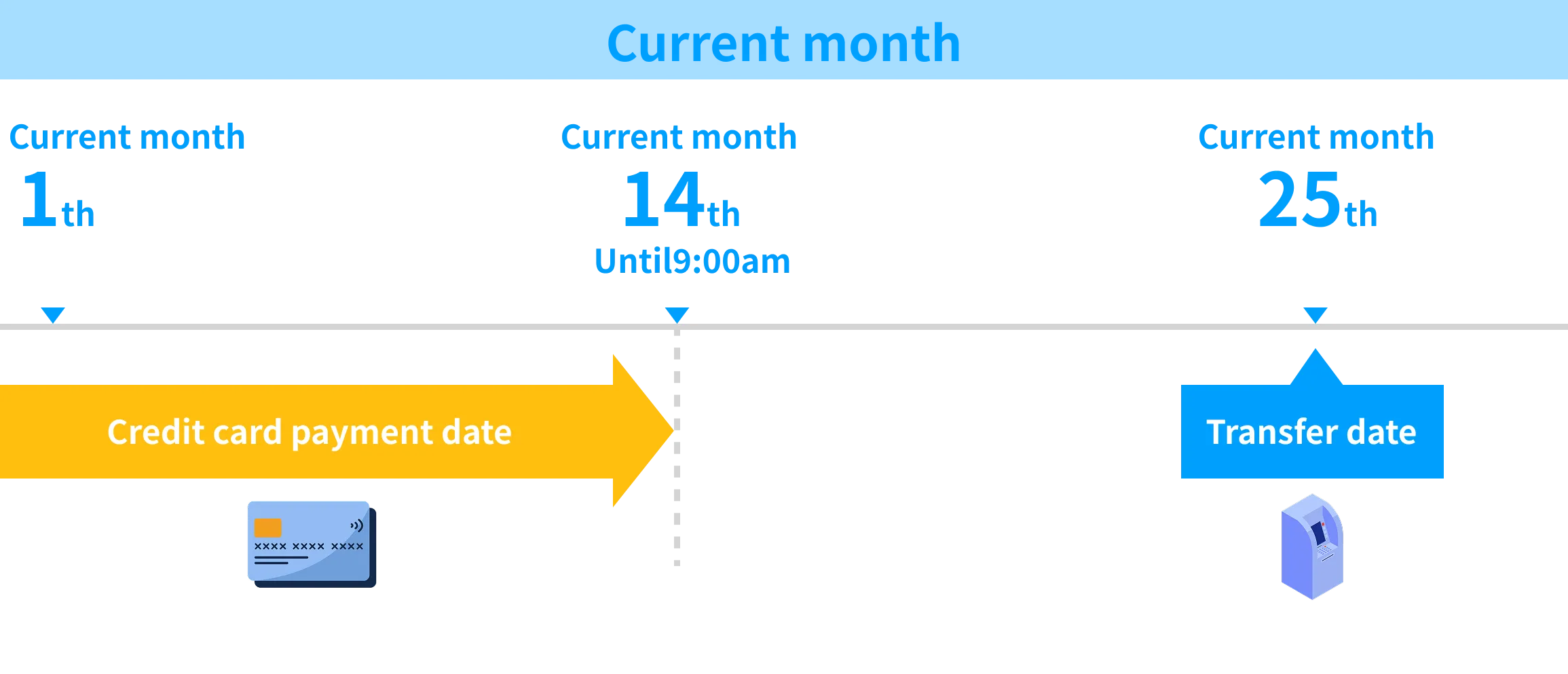
If the initial payment (including one-off payments) is completed between the 1st and 14th of the month by 9:00 AM, RentEase will transfer the payment on the 25th of the month. Please be careful not to make duplicate payments of the same month's rent to the management company or landlord.
Please be aware of the following points when applying for the RentEase service. If any of these apply, a payment error may occur, and the transfer to the management company will not be made. Please check your credit cards available balance and expiration date before applying.
01
Check the available balance
on your credit card

At the time of settlement, you will need to have an available balance equal to or greater than the rent amount, and if the balance is insufficient, the settlement may fail.
02
Check the expiration date
of your credit card

Ensure your card has not expired. If its nearing expiration, please proceed with a new card.
In case a payment error occurs...

Procedures required in case of errors
If a payment error is displayed due to insufficient balance or other reasons, the transfer to the management company or landlord will not be processed. Therefore, please check the procedure again here.
How to handle payment errors

With RentEase, rent payments will be automatically processed by credit card every month after application. To ensure a smooth experience with our service, please pay attention to the following points:
・Check your credit cards available balance before the payment date.
・Also check if your card hasnt expired.
【Recommended tips】
Having a dedicated credit card for rent payments makes managing balance and household finances easier.


First, download the RentEase app on your smartphone.
Search for "RentEase" on the App Store or Google Play, or download from ↓
\Download Here/


【Entering registrant information and verifying identity】
Open the app and enter the following required information:
1. Enter registrant information
Please enter basic information such as the registrant's name, date of birth, and contact information.
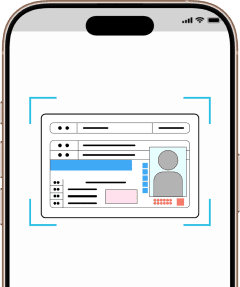
2. Identity Verification
Prepare a valid form of identification (driver's license, passport, residence card, etc.) and follow the instructions in the app to take a selfie with your ID.

The applicant must be the same person as the credit cardholder.
A credit card under a different name from the applicant cannot be registered.
Individuals other than the corporate representative may also register. However, if using a corporate card, the application must be made by the corporate cardholder.
《Enter applicant information》

《Identity verification》


【Create a rental agreement using Rentease】
【Create a RentEase one-time payment certificate】
If you are using the RentEase rental agreement (subscription payment) or one-off payment, create a RentEase one-off payment certificate within the app. When creating the certificate, you will need to set the transfer amount, property details, transfer destination information, and landlord/tenant details.
1. Open the creation screen
From the home screen in the app, open the creation screen for the RentEase Lease Agreement or the RentEase Single Payment Certificate.
2. Enter the required information
・Payment amount for rent, initial costs, renewal fees, etc.
・Property information such as building name, address, and room number.
・Bank transfer details for payments.
・Register and set the lessor and lessee.
For detailed instructions, please see "About the RentEase Lease Agreement" and "About the RentEase Single Payment Certificate".
The "RentEase Rental Agreement" generated and displayed by this feature is for managing your rental information within the app and does not constitute a new rental contract.
This feature allows you to register information for an existing rental agreement or one that will begin in the future.
The information you register will be used solely to confirm the rental agreement details and verify the transfer destination. It will not be used for any other purpose.
Please refer to the official rental agreement issued by your real estate company or landlord.
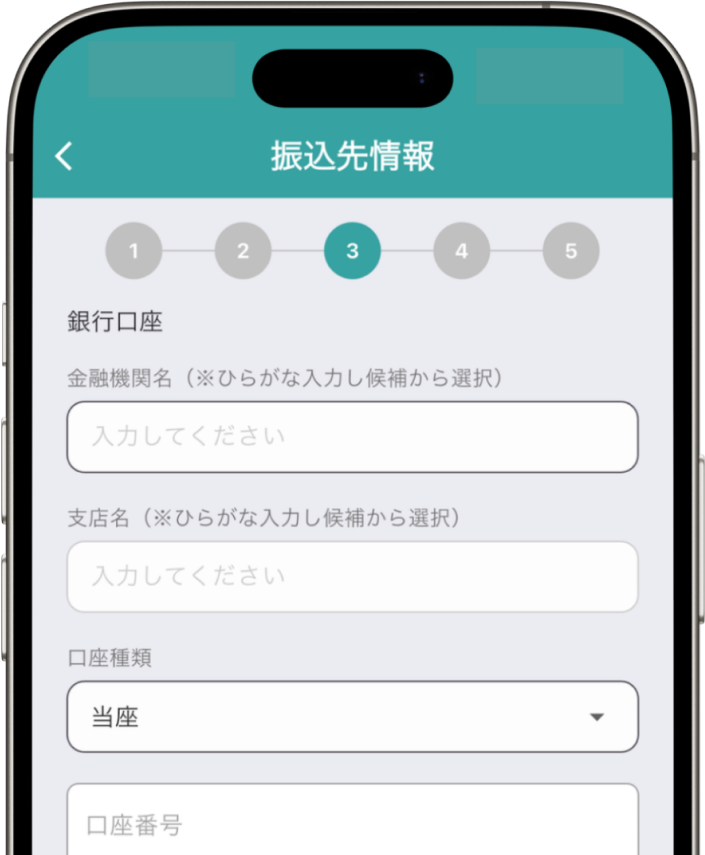
Enter the transfer amount and transfer destination information
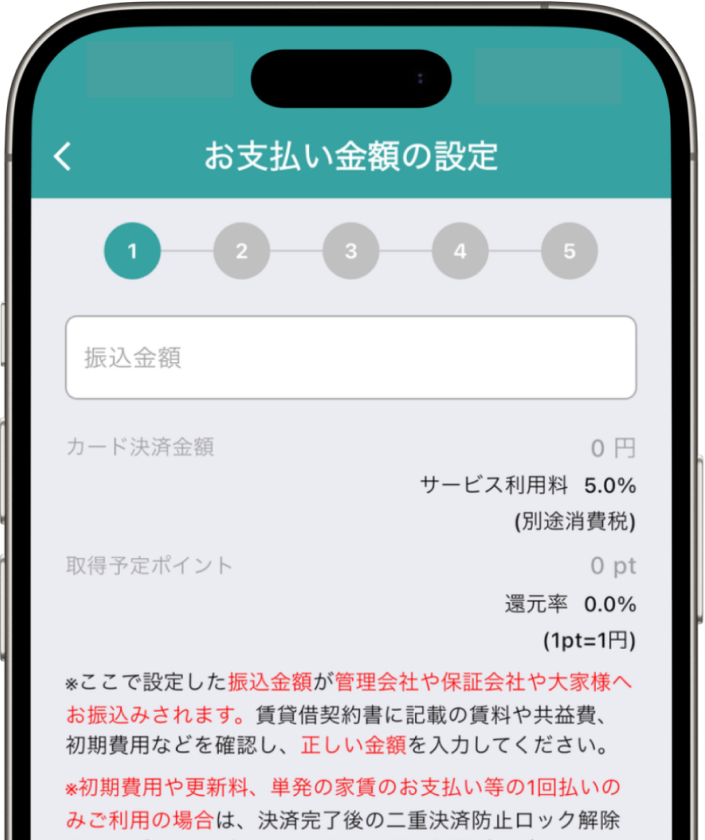
Enter property information, landlord information, and tenant information

【Credit card registration and payment methods】
After completing the RentEase rental agreement, you can automate monthly rent payments by registering your payment and credit card. You can also use the RentEase One-Time Payment Certificate to make one-time payments such as initial fees and renewal fees.
1. Open the credit card registration screen
From "Create Subscription" in the RentEase Rental Agreement, register your credit card details for payment.
2. Enter your credit card information.
We accept VISA, Mastercard, JCB, AMEX.
Only credit cards in the same name as the app applicant can be used.
3. Confirm your payment
Once your card information is registered, payment for rent and initial fees will be processed immediately.
The transfer to the property management company or landlord will be made at a later date.
Please make sure that the remitter’s name is the same as the tenant’s name listed on the rental contract. If using a corporate card, the application must be submitted by the corporate cardholder.
※ If the remitter’s name does not match the tenant’s name, the property management company or landlord may not be able to confirm the payment.
If your current rent payment method is automatic bank withdrawal, you will need to switch to bank transfer.
Click here for details on how to change from bank withdrawal to bank transfer.
If your payment fails for any reason, please refer to the FAQ: 「Payment Failed. What Should I Do?」.

This completes the registration process. You can start using RentEase from your next rent payment.
\Download Here/
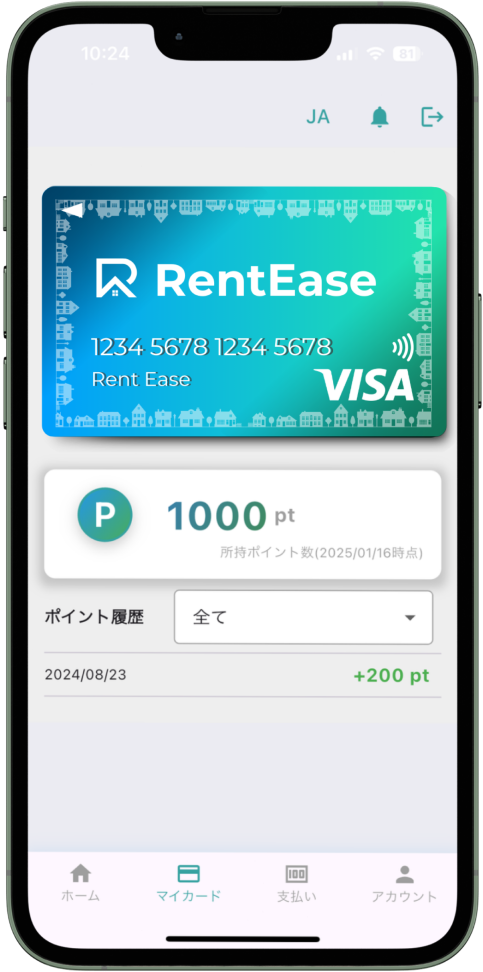

You can search for 'RentEase' in the App Store or Google Play Store and download it for free. You can also download it directly from the 'App Store' and 'Google Play' icons on this site.
The app is free to download, register, and use. However, a 5.5% fee (tax included) is charged per payment.
You will need your name, email, phone number, property information, and credit card details. You will also need to provide identification and your rental agreement.
Yes, it is possible. Offices, stores under corporate contracts, and residences contracted by family members are also supported. However, the applicant and the credit card holder must be the same person.
Residences, offices, shops, warehouses, and factories are supported, up to a monthly rent of 5 million yen.
The first payment is on the day you register your credit card. From the following month onward, payments are processed on the 15th. The date cannot be changed.
Yes, as long as you complete registration and card payment by 9:00 AM between the 1st and 14th of the current month.
Yes, you can. For example, you may switch only this month's rent to credit card payment or use it for initial fees or renewal fees.
The withdrawal date follows your card issuer's schedule, not the day RentEase processes the payment. In most cases, this is the next or the following month.
Transfers are made on the 25th of each month (or the next business day if it falls on a holiday).
No, the transfer date is fixed to the 25th of each month (or the next business day if it falls on a holiday).
The transfer appears under the name you registered during the procedure.
Yes. You need to obtain consent from your landlord or management company before using RentEase.
Download the RentEase App now!
Download now ▶